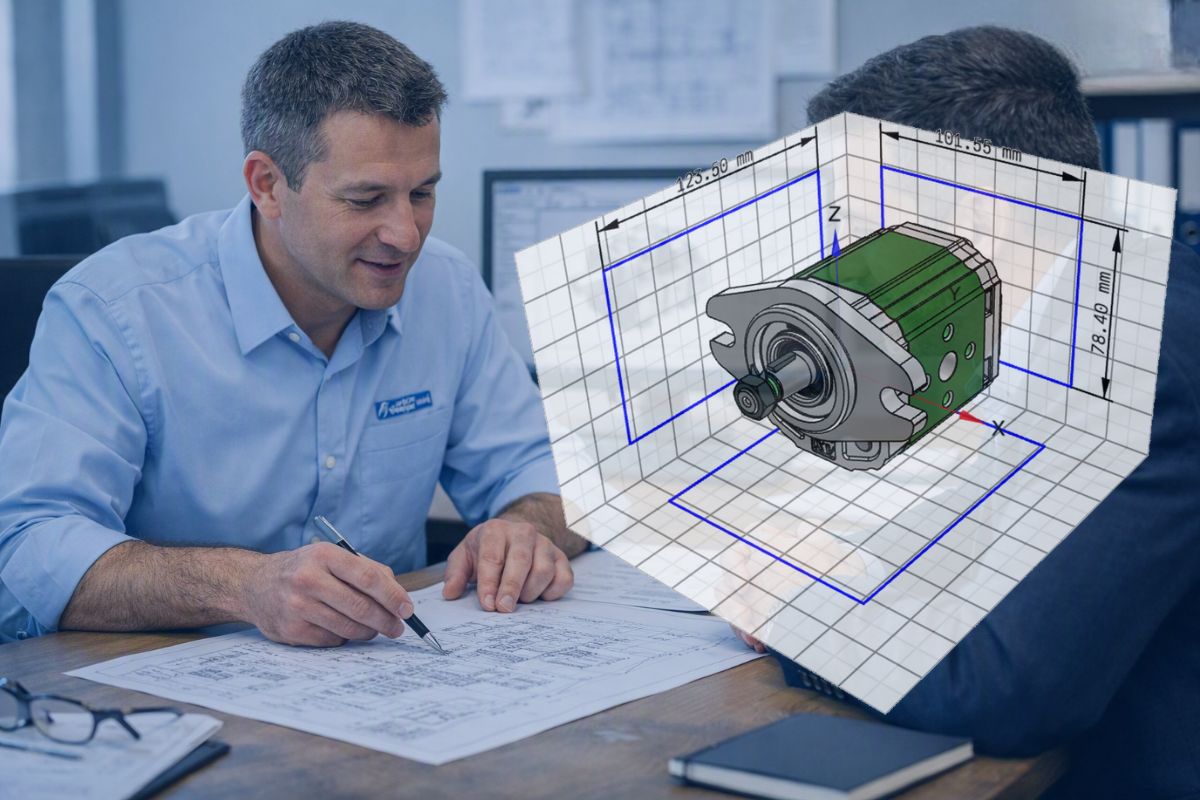
Are you designing a machine or a system and looking for a 3D model of a Vivoil component? To support design engineers, we provide free 3D models of the most common configurations of all products in our catalogue.
This guide explains how to find and download them, step by step.
Two ways to download 3D models
You can download free 3D models of Vivoil components in two ways:
- From our website in STEP format directly from the relevant Vivoil product page
- or you can generate them using our online configurator, which offers over 100 formats and additional features
Here are the main differences between the two options:
| Product page on the Vivoil website | Online configurator | |
| Available formats | STEP | Over 100 CAD, CAE and BIM formats |
| Products with available 3D models | Standard products in the Vivoil range | Currently only Group 0 and Group 1 single pumps and Group 1 motors |
| Is an account required to download? | No, download directly from our website’s product page | Yes, a free PARTcommunity account is required |
| Also available | Technical data sheet (PDF) with performance curves, plus the model’s catalogue data sheet | 3D previews, interactive technical data sheets, online quotation requests, and access to the Vivoil CAD catalogue on 3Dfindit.com |
How to download a STEP file from the Vivoil website
The 3D models of the most common configurations of all our products are available on our website in STEP format and can be downloaded free of charge.
Here is how to find them.
For this example, we will use a Group 0 unidirectional hydraulic pump.
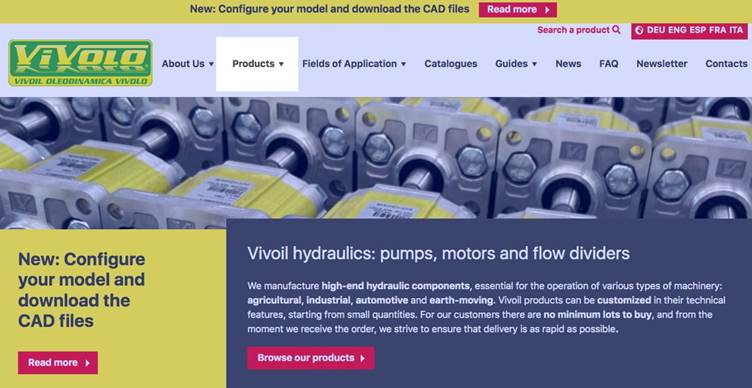
1. Open the Products menu
Click Products in the main navigation menu at the top.
2. Select the product category
Click the category you need, such as Unidirectional Hydraulic Pumps. You can also select it directly from the “Products” drop-down menu.
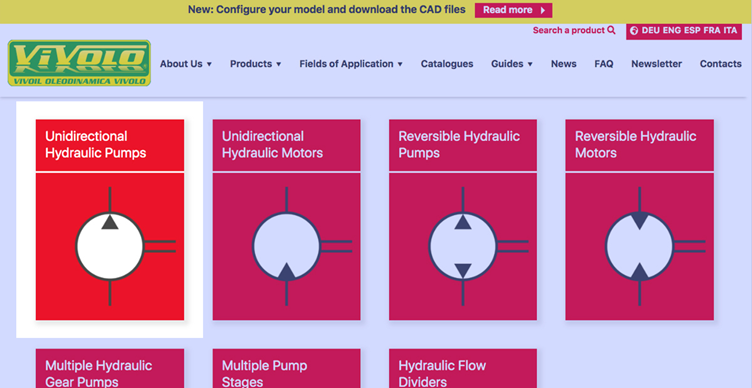
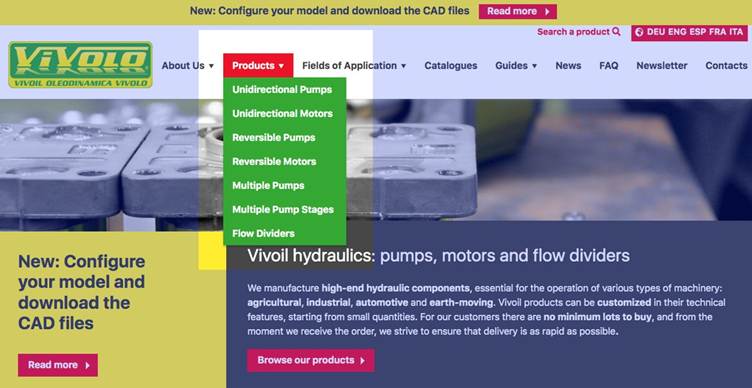
For convenience, here are the Vivoil component category pages:
- Unidirectional Hydraulic Pumps
- Unidirectional Hydraulic Motors
- Reversible Hydraulic Pumps
- Reversible Hydraulic Motors
- Multiple Hydraulic Gear Pumps
- Multiple Pump Stages
- Hydraulic Flow Dividers
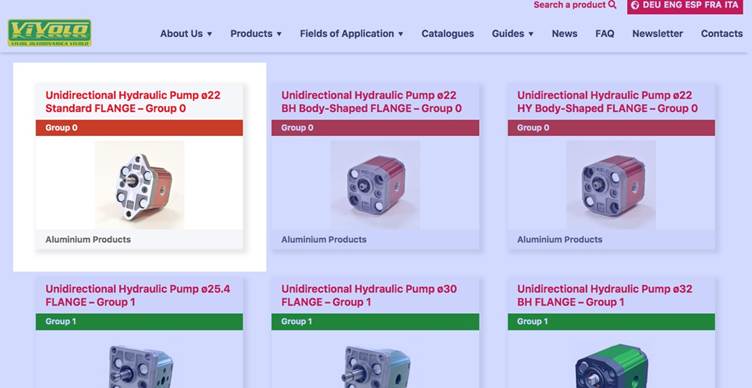
3. Select the flange type
Each product category page lists the available flange types, organised by size group.
Select the flange type you need, for example, the Unidirectional Hydraulic Pump ø22 Standard FLANGE – Group 0. To view only products in a particular size group, select “Group 0”, “Group 1”, “Group 2” or “Group 3”.
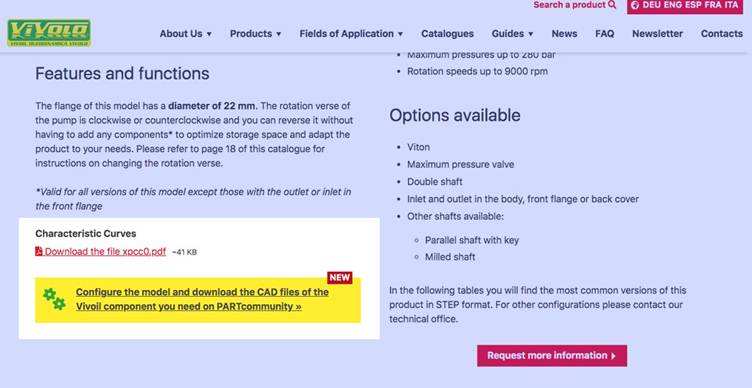
4. View the product page
At the top of the page, you will find the product description and a PDF of the performance curves under “Characteristic Curves”, as well as a link to the online configurator (where available for that product).
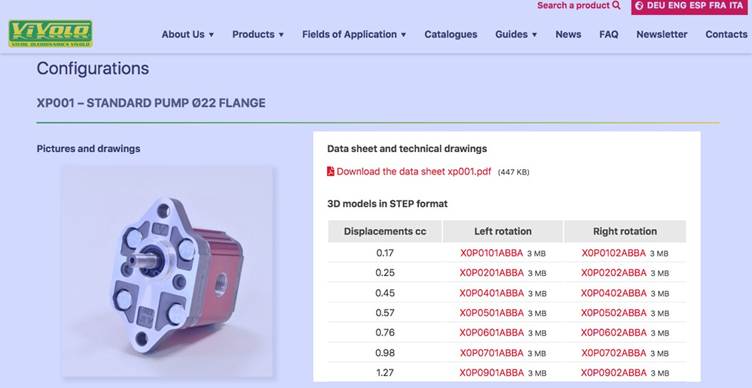
5. Download the 3D model
Under “Configurations”, you will find the model’s catalogue data sheet in PDF format and a table of the most common configurations, arranged by displacement and identified by product code. Separate columns show left and right rotation.
Click the product code for the configuration you need to download its 3D model in STEP format.
How to generate a 3D model using the online configurator
If you need a 3D model in a format other than STEP, you can use the Vivoil online configurator, hosted on the CADENAS PARTcommunity platform. It currently includes Group 0 and Group 1 pumps and Group 1 motors, but the full Vivoil single-pump range will be available soon.
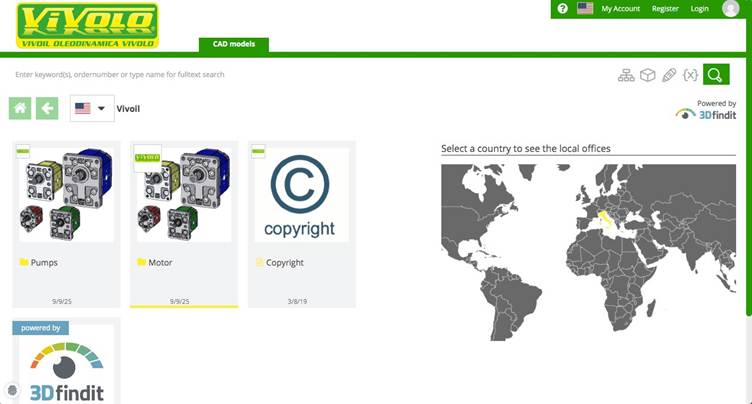
With the configurator, you can:
- find and configure the right component for your project
- view 3D previews and interactive technical data sheets, including 2D drawings and 3D PDFs
- generate and download 3D CAD, CAE and BIM models in over 100 formats
- submit a quotation request online
The configurator also provides access to the Vivoil CAD catalogue on 3Dfindit.com, the search engine for 3D models.
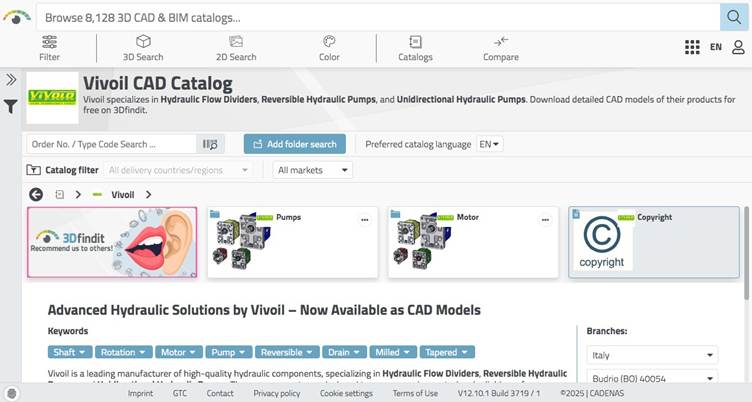
The service is completely free of charge, including downloads of technical data and 3D models. Simply create a PARTcommunity account or sign in with an existing one.
You can search for a component in three ways:
- by product code, if you already know which Vivoil component you need
- by component type, if you know the product type and want to find the corresponding Vivoil version
- by technical specifications, if you know the parameters required for your application
You can also open the configurator from the “Characteristic Curves” section of an eligible product page.
Full instructions are available on our dedicated Online Configurator page.
Need a specific model?
The 3D models available on our website and in the configurator cover the standard configurations in our catalogue.
The component you need may not be listed, for example because it requires customisation or a specific configuration. Alternatively, you may need help selecting the model best suited to your application.
In these cases, our technical department is here to help, and is always available to provide advice and assistance. Contact us.