We are pleased to announce an important update: selecting Vivoil components is now even easier, as we are now present on PARTcommunity.com and 3Dfindit.com by CADENAS, a company specialized in software development and electronic CAD catalogs.
Extra support for designers
Until now, 3D models of Vivoil products were available on our website only for components in standard configurations and exclusively in STEP format.
Now, however, you can quickly view even special configurations, in more than 100 formats.
Thanks to PARTcommunity.com and 3Dfindit.com, you can integrate our components into your CAD system more quickly and accurately: a valuable aid that allows you to optimize time and reduce errors during the design phase.
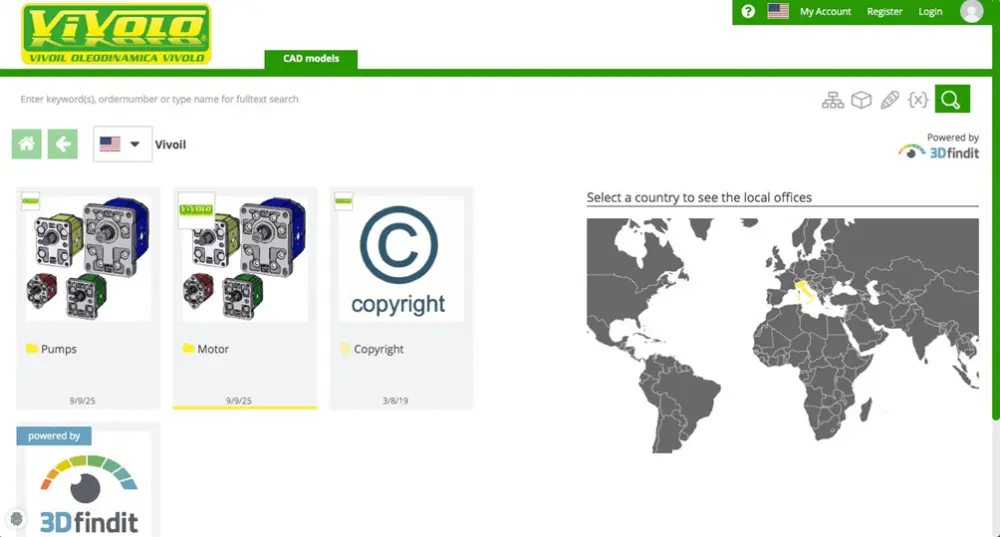
PARTcommunity.com: a free online configurator that simplifies your work
PARTcommunity.com is a free and intuitive online configurator. Simply register and create an account to:
- select Vivoil components starting from the product code, the component type, or the technical characteristics
- view interactive technical data sheets (2D drawings and 3D PDFs)
- generate and download 3D CAD, CAE, and BIM models in more than 100 formats
- send a quotation request directly
Currently, only pumps from size groups 0 and 1 and motors from size group 1 are available on the site, but soon it will be possible to configure the entire range of Vivoil products: unidirectional and reversible pumps, unidirectional and reversible motors, multiple pumps, pump elements, and of course our flow dividers.
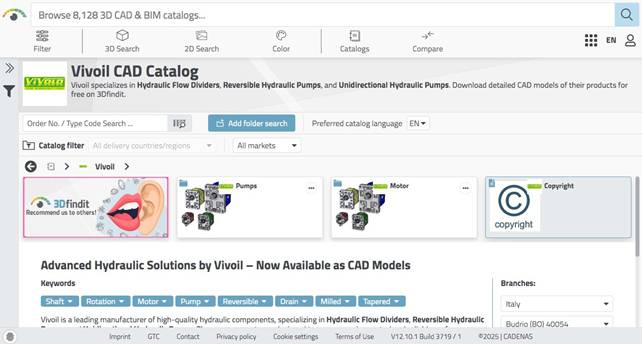
3Dfindit.com: access the Vivoil CAD catalog in one click
From PARTcommunity.com you can also access the Vivoil CAD catalog on 3Dfindit.
3Dfindit is a powerful 3D model search engine designed for engineers and designers, which allows you to:
- search by product code, geometric similarity, or technical characteristics
- import models into 35 different CAD systems, thanks to a free plugin
Alongside the Vivoil catalog, on 3Dfindit you can also find models from over 970,000 companies, so in just a few clicks you can select the components you need and import them directly into your CAD project.
Start configuring
We have created a dedicated page for the online configurator, with instructions to directly access the PARTcommunity.com website and select the component for your project.
Furthermore, on all the pages for Vivoil pumps, motors, and flow dividers on our website, there is a banner that lets you immediately open the configurator and search for the 3D model of the component you are looking for.
For more information or to learn how to configure a component, contact our technical department. We are here to help you!